DemoCutGive the demo a close-up.
A native Mac screen recorder and editor that zooms in on your clicks, places your camera and exports wide, square or vertical video.
- My role
- Product design, development & launch
- Built for
- Founders, developers and tutorial creators
- Platform
- macOS 15+ · Swift · ScreenCaptureKit
The job to solve.
In a full-screen recording, small controls are hard to read, a webcam can cover the button being explained and a desktop video rarely fits a phone. Fixing that usually means a timeline editor and a lot of manual keyframes.
The approach
DemoCut records the screen, camera and microphone, then brings the decisions into one focused editor: let the zoom follow your clicks, place the camera, choose a canvas and export. The same project can become a desktop walkthrough or a 9:16 Reel.
Take a closer look.
A 21-second visual tour made from real product screenshots. Captioned, with no audio. Press play when you’re ready.
Screen descriptions
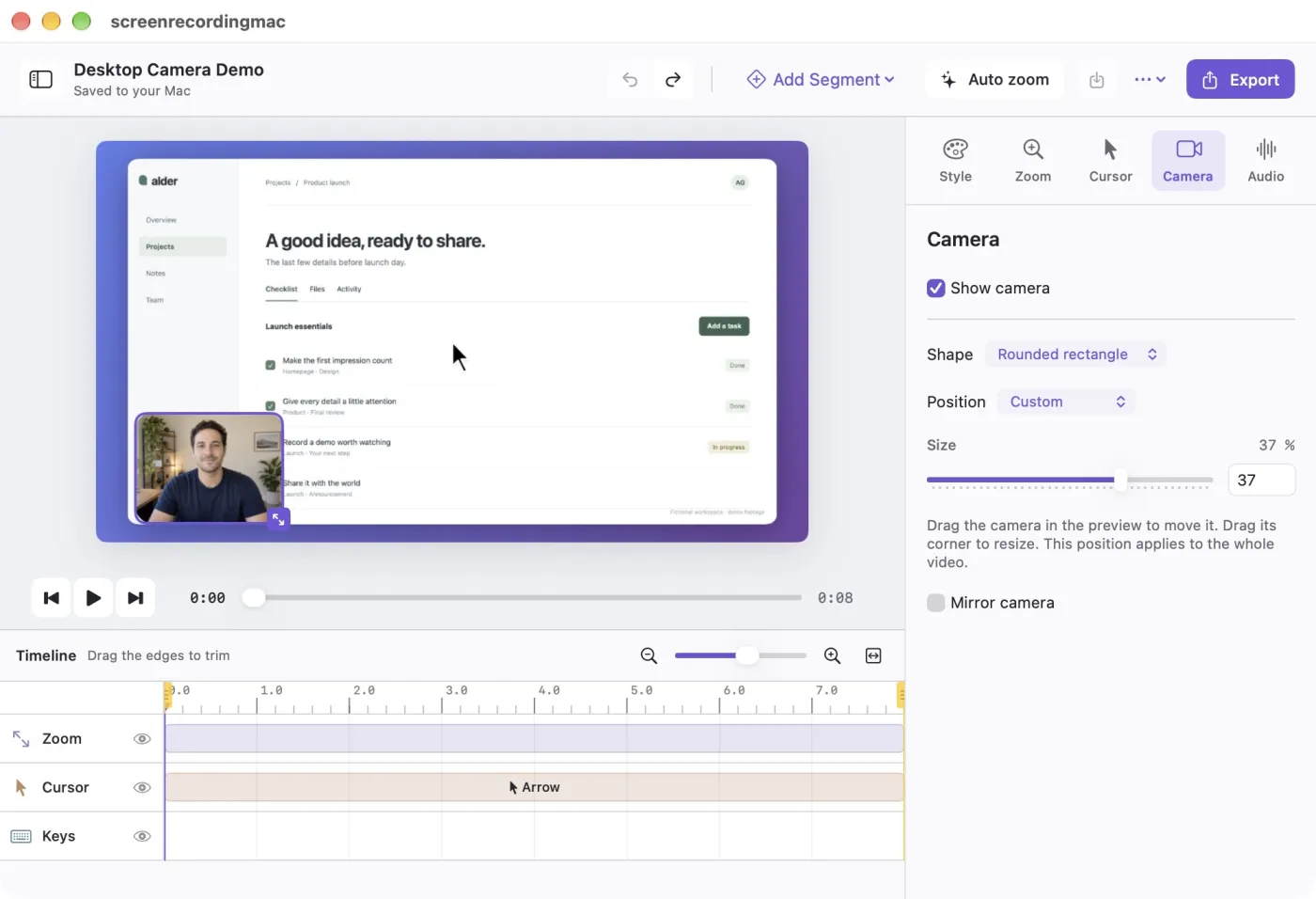
- 0:00Edit in one window
The real DemoCut editor shows a desktop recording with a movable camera window, zoom, cursor and keystroke lanes, and camera settings. The workspace is fictional and the presenter is AI-generated.
- 0:07Zoom on the action
A frame from an actual DemoCut export zooms in on the spreadsheet cell being edited, so the change stays readable.
- 0:14Turn it into a Reel
The same editor builds a 9:16 Reel with the camera on top and the screen below. The window title still shows the app's earlier working name.
What I built.
A native video tool built on ScreenCaptureKit and AVFoundation, where good defaults do most of the editing and recordings stay on the Mac.
- Zoom that follows the work
- Automatic zoom on clicks and typing, or press and hold where you want a close-up. A smoothed cursor and keystroke overlays keep the action easy to follow.
- One recording, every shape
- Switch a project between 16:9, 1:1 and 9:16 at any time. A movable camera window or a 50/50 split puts your face where it helps.
- Clean up the take
- Captions in Hinglish or English, filler-word and pause removal, noise reduction and masks for sensitive areas, then MP4, ProRes or GIF up to 4K.
Out in the world.
Version 0.8 for macOS 15 or later, with Apple silicon as the first release target. It extends the Apache-2.0 open-source Screenize project. A 3-day free trial is followed by a free version limited to 1-minute exports; the optional New voice feature sends microphone audio to external services.
Visit DemoCut9,613 requests served
Cloudflare · screenrecordingmac.app
30 days ending 13 October 2026.
Requests measure network activity, not unique visitors, customers or revenue.
Have a similar
idea in mind?
Let’s talk about what you want to build.